Posts

Project Setup and Hosting Mode in DotNet Core

Image
ASP.NET Core is the framework that can be used for web development with .NET. If you have any experience with MVC or Web API over the last few years. Let's discuss how to create a new project in Visual Studio 2017. To start with Dot net core project just add a new project from VS2017 and select empty project option. Select application type as per your requirement here I am selecting empty application. Your project is created and available in solution explorer and physical location as well. For me it’s available in F drive of my system. Here you will see few files which comes by default while creating a dotnet core application. These files are code files having default name Program and Startup. Here one more default file (launchsettings.json) is created which have IIS settings and profile information of your application. Dotnet core application have two type of hosting one is In-Process and second ...

Set Auto Publish on Item

Image
Sitecore provide feature to Auto publish the content with few configuration changes. With this content will publish automatically based on time line set in Sitecore.Tasks.PublishAgent of Sitecore.config file. To set auto publishing on content it’s require to make changes in Publishing Agent which looks like. <agent type="Sitecore.Tasks.PublishAgent" method="Run" interval="00:00:00">       <param desc="source database">master</param>       <param desc="target database">web</param>       <param desc="mode (full or smart or incremental)">incremental</param>       <param desc="languages">en, da</param>     </agent> I am trying to giving a simple example with home page which comes content root by default after fresh installation of sitecore. Initially a default content is coming in Title field ...

Add Task Page In Sitecore Control Panel

Image
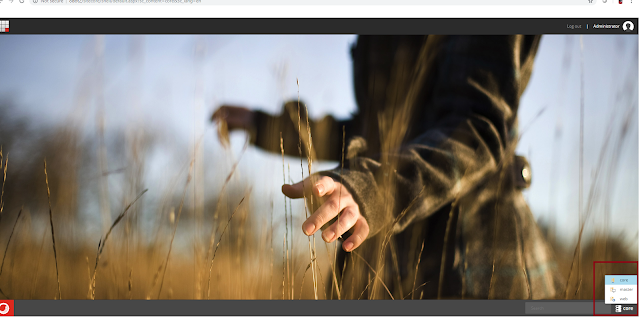
To Add Task link on sitecore control panel, first we need to select core database from sitecore instance. After selecting core database add a new Task page with specific name downwards the item place at /sitecore/content/Applications/Control Panel Here add a new task which is based on template which is inherited from /sitecore/templates/Sitecore Client/Tasks/Task page Next step to add task link and option under the Task page. To do this just add new task list under Task page which will be based on template Task Link : /sitecore/templates/Sitecore Client/Tasks/Task link Task Option : /sitecore/templates/Sitecore Client/Tasks/Task option Also you can add icon for each task page, option and links from Sitecore icon collection. After adding these task page and options we find these things available on Control Panel. To place this task page in last I just move Task page content to last inside the /site...

Add Buttons In Sitecore Experience Platform

Image
To Add button on Sitecore experience plateform, first we need to select core database from sitecore instance. After selecting core database add a new group “ Dev Work ” under item /sitecore/client/Applications/Launchpad/PageSettings/Buttons Add   buttons under the below Sitecore instance path /sitecore/client/Applications/Launchpad/PageSettings/Buttons/Dev Works After adding the button you just check the Sitecore launch pad. There you find the Dev Works button. In this way we can add customize button on Sitecore experience plateform. Also we can give logo, link etc to this button if needed. Happy Learning!!!

Polymorphism in Java Script

Polymorphism The ability to call the same method on different objects and have each of them respond in their own way is called polymorphism. Polymorphism is the main pillar of Object Oriented Programming, it refers to the ability of an object to provide different behaviors in different state of objects. Example Parent class Human define a function of introduction() in which it contains simple introduction but Student object override it by adding more detailed information for introduction. So now Human() object has its own implementation of introduction and Student() has its own. It will be invoked according to the state of object. //Define human class function Human(fullName) {   this.fullName = fullName; } // Add a couple of methods to Human.prototype Human.prototype.speak = function(){   alert("I speak English!"); }; Human.prototype.introduction = function(){   alert("Hi, I am " + this.fullName); }; //Defi...

Object Oriented Java Script

With the basics out of the way, we'll now focus on object-oriented JavaScript (OOJS) — this article presents a basic view of object-oriented programming (OOP) theory, then explores how JavaScript emulates object classes via constructor functions, and how to create object instances. u Namespace u this keyword u Class u Object Namespace A namespace is a container which allows developers to bundle up functionality under a unique, application-specific name. In JavaScript a namespace is just another object containing methods, properties, and objects. The idea behind creating a namespace in JavaScript is simple: create one global object, and all variables, methods, and functions become properties of that object. Use of namespaces also reduces the chance of name conflicts in an application, since each application's objects are properties of an application-defined global object. Namespace we must have known from any language ...